
JOOMLA 5 | Demo | Download
What does it do?
As website owner i really need this protection especially if i embded custom build app integrated into a website or other codes i need to protect....need to protect my hard work you know ;). However its not a 'bullet proof' method to camo my codes but atleast keep few code peep-show pest out. So i build this plugin to add frustration to those 'code peeler', The HTML Code Blocker-XL is a powerful system plugin designed to protect your Joomla 5 website's front-end source code, images, and text content from casual scraping, copying, and inspection by visitors.
It acts as a multi-layered shield, combining server-side HTML manipulation (Minification & Obfuscation) with client-side browser restrictions (disabling right-clicks and developer shortcuts). Furthermore, it includes a Menu Assignment feature to target specific pages, and a Standalone module to protect non-Joomla static files on your server.
Updates and bug fix log:
9/8/2026 - Fix missing plugin update (XML) from server manifest.
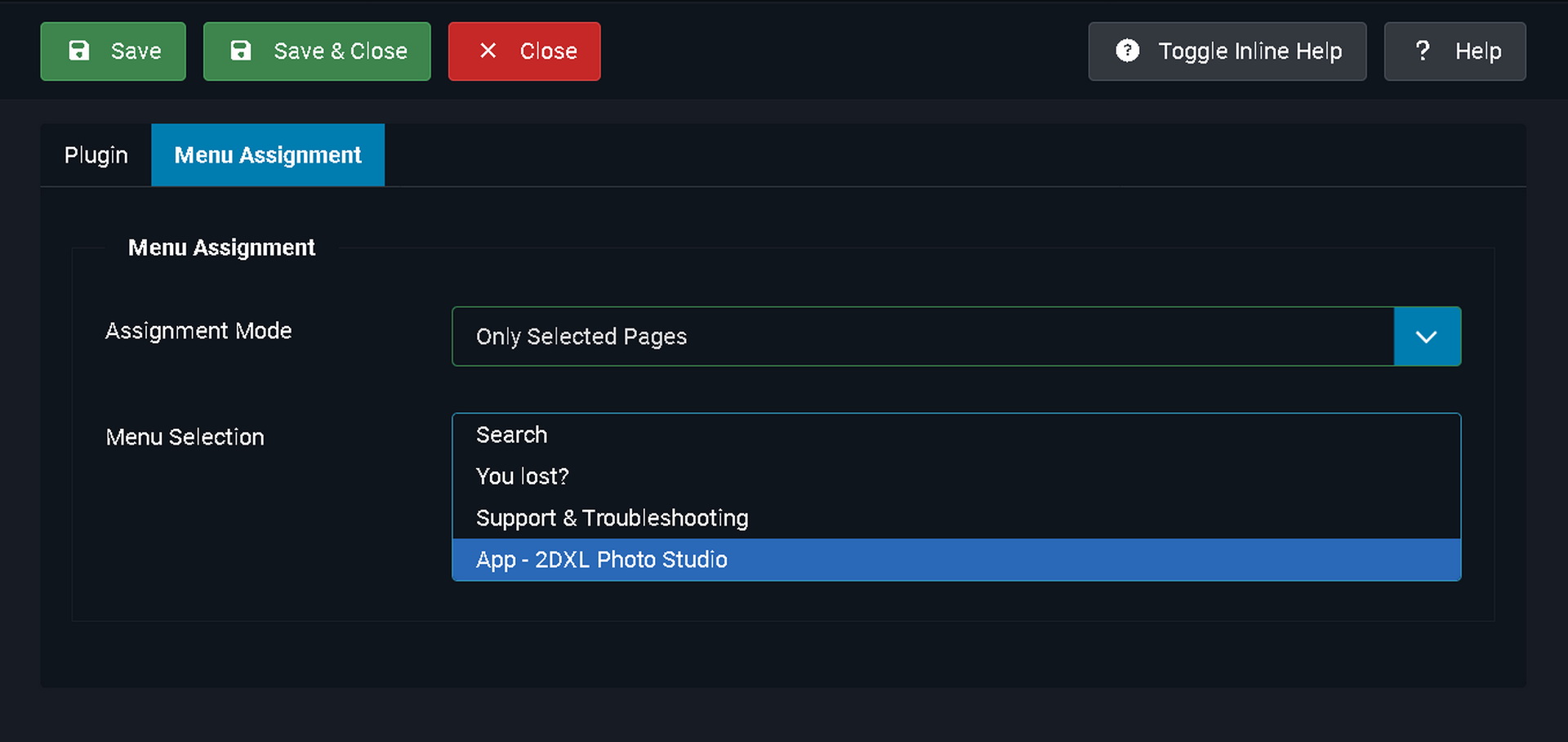
8/8/2026 - Add "Menu Assignment" so that the plugin can be applied to specific page only allowed other page to be accesible for search engine crawler.
7/8/2026 - Broken image SEF due to 'Obscate Body Content' enabled when plugin not set to placed at higher 'Ordering'. Bug fixed.
Core Protection Methods
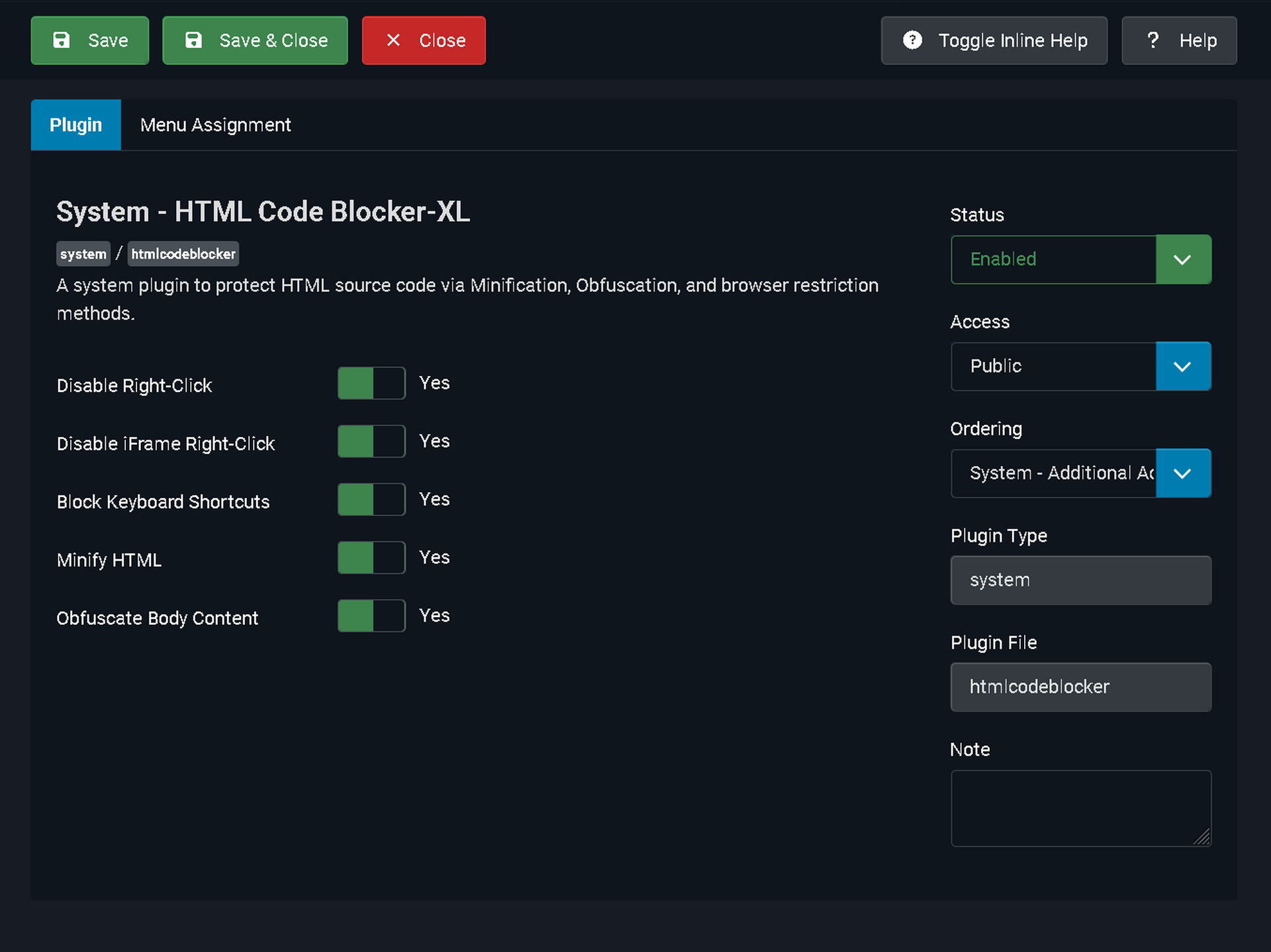
You can toggle any combination of the following features from the plugin's configuration page:
- Disable Right-Click: Injects JavaScript to block the standard browser context menu. This stops regular users from easily right-clicking to "Save Image As...", "Copy", or "Inspect Element".
- Disable iFrame Right-Click: Extends the right-click protection to elements inside <iframe> tags. Because of strict browser security rules (Same-Origin Policy), this only works for iframes hosted on your own domain, but it prevents users from bypassing your protection by hovering over embedded content.
- Block Developer Shortcuts: Listens for and disables common keyboard shortcuts used by developers and scrapers to view source code. This includes F12 (Developer Tools), Ctrl+U (View Source), Ctrl+Shift+I (Inspect), and Ctrl+S (Save Page).
- Minify HTML: Cleans up your HTML source code by stripping out all comments, unnecessary spaces, and line breaks before it reaches the browser. While it makes the site load slightly faster, its main purpose here is to make the raw code a massive, unreadable wall of text for anyone who manages to view it.
- Obfuscate Body Content: The most aggressive protection. It takes your entire HTML document and mathematically scrambles it into a random string of Base64 characters. It then relies on a tiny, secure JavaScript snippet to decode and render the page on the fly for the actual visitor. If someone presses Ctrl+U to view the source, all they see is encrypted gibberish instead of your actual content.
- Menu Assignment: You don't have to protect your entire site if you don't want to. You can set the plugin to run on All Pages, Only Selected Pages, or All Pages EXCEPT Selected. This really helps web search engine bot/agent to crawl through your website and pickup information/tags and element that is unecessary blocked by the plugin. This helps you ranked up in your search engine while still able to protect individual pages.
Important Limitations
- SEO Impact: If you turn on Obfuscate Body Content, search engines like Google may have a harder time reading and indexing your website's text, as they rely heavily on raw HTML. Use this feature with caution if Search Engine Optimization is a top priority.
- Client-Side Security: This plugin deters 99% of casual users, bots, and content thieves. However, because browsers ultimately must read the code to display the page, highly advanced developers can eventually bypass client-side protections. It acts as a very strong lock on your front door, rather than an impenetrable vault!
* DEMO
When you click the "Demo" it will redirect you to my other website that have this file installed. The file works by blocking your attempt to right click or block keyboard stroke that activate "View Page Source", "Inspection" and other means to reveal the source code of the front page HTML.