
HTML | Play | Download
What is this file?
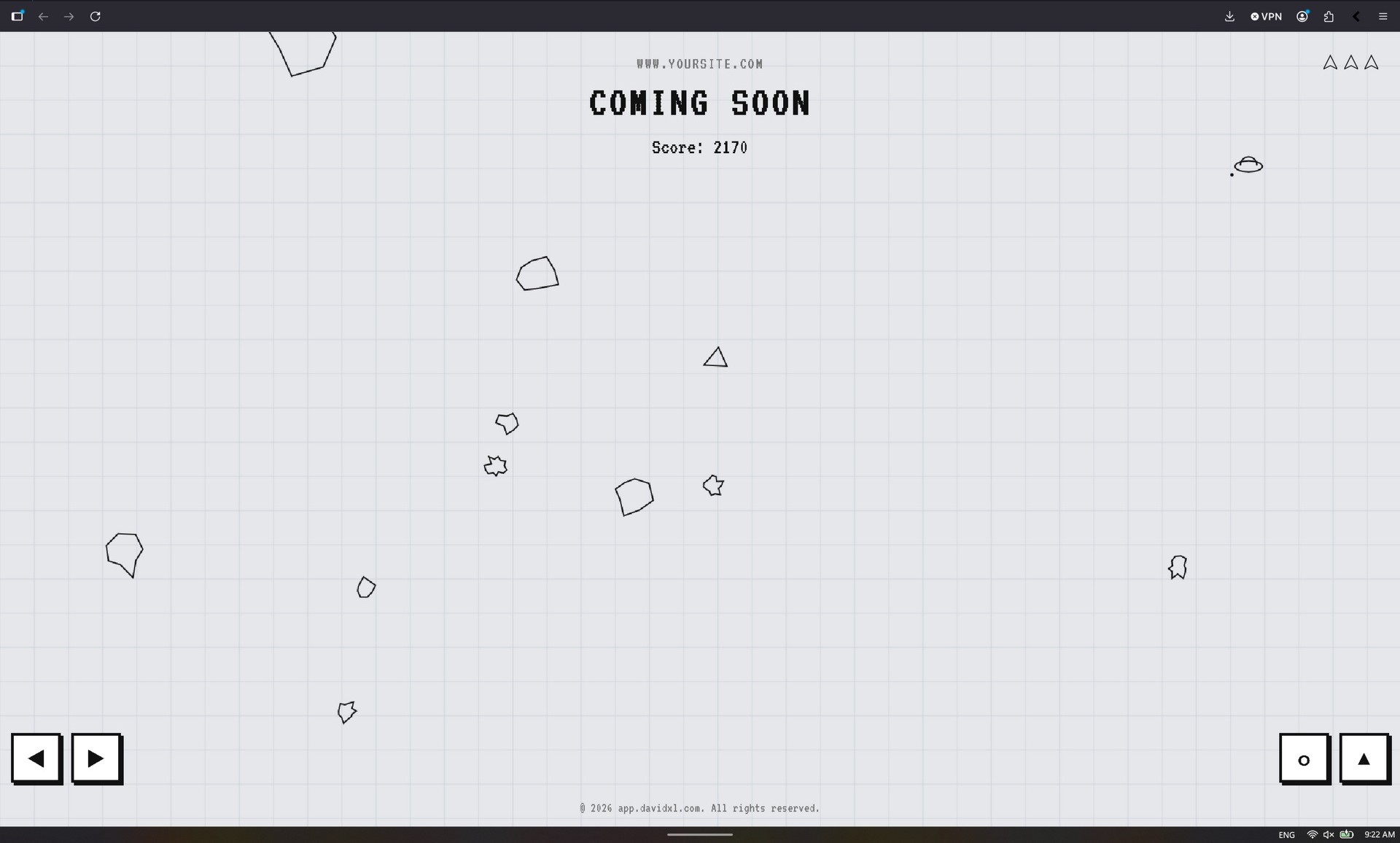
I'm sure if you visit this website at early stage of 'Under Construction' you've seen it before. Instead of visitor just stop and move on, i put something fun to keep them stay for a while a bit. Hint: By the styling of this website you realised it adopt from 'Asteroid & Space Alien' E-ink screen layout...hehehe! So in short: this file (index.html) is a fully playable, single-page web application that serves as an interactive "Coming Soon" landing page for your domain eg: "www.mysite.com". Instead of a boring static message, it gives visitors a classic arcade game to play while they wait for your site to launch.
What does it do?
It combines four main elements into one file:
- The Game Engine (HTML5 Canvas & JS):
- A complete recreation of the classic game Asteroids.
- You can fly a ship, shoot lasers, and break asteroids into smaller pieces.
- It features an AI Alien ship that spawns, shoots at the player, gets harder as levels progress, and occasionally escapes.
- Includes synthesized retro sound effects powered by the Tone.js library.
- The "E-Ink" Aesthetic (CSS):
- The styling is designed to look like a retro monochrome monitor or an e-ink display (like a Kindle or Playdate). It uses stark blacks, whites, grays, thick borders, and a pixelated terminal font (VT323).
- The styling is designed to look like a retro monochrome monitor or an e-ink display (like a Kindle or Playdate). It uses stark blacks, whites, grays, thick borders, and a pixelated terminal font (VT323).
- Responsive & Mobile-Ready:
- The game scales to fit any desktop screen size.
- It automatically detects if the user is on a mobile device (touchscreen) and displays on-screen D-pad and action buttons so the game can be played on phones.
- Code Protection (Security Layer):
- It includes several Javascript tricks to deter people from stealing your code.
- It disables right-clicking, blocks common keyboard shortcuts for developer tools (like F12), and includes a trap that aggressively pauses the browser if someone manages to open the inspection tools.
How to Install (Deploy) Your Coming Soon Page
Because this is a lightweight, static web application, you do not need any complex databases or server software like Node.js. It is designed to be easily dropped into almost any standard web hosting environment.
Step-by-Step Deployment:
- Gather the Files: You need the two core files we created: index.html and .htaccess.
- Edit the HTML: You'll need to edit "Coming Soon" landing page and your domain eg: "www.mysite.com" to match your website details via notepade or HTML editor.
- Access Your Web Host: Log in to your website's hosting control panel (like cPanel, Plesk) or connect to your server via an FTP client (like FileZilla).
- Locate the Public Folder: Navigate to your website's root directory. This is usually named public_html, www, or htdocs.
- Upload: Upload both index.html and .htaccess directly into this folder.
- Note: Make sure your computer or host doesn't accidentally rename the .htaccess file to .htaccess.txt.
- Note: Make sure your computer or host doesn't accidentally rename the .htaccess file to .htaccess.txt.
- Go Live: That's it! When you visit app.davidxl.com in your browser, your new interactive landing page will load instantly.
How to Play Asteroids
The game is a classic arcade survival shooter. The goal is to survive as long as possible by blasting space rocks and fending off an angry alien ship, all while racking up a high score.
Desktop / Laptop Controls
When playing on a computer with a keyboard, use the following keys:
-
Rotate Left/Right: A and D keys (or Left/Right Arrows)
-
Thrust (Move Forward): W key (or Up Arrow)
-
Fire Laser: Spacebar
Mobile / Tablet Controls
If a visitor opens the site on a touchscreen device, the game automatically detects this and displays a retro on-screen gamepad:
-
Left Side Pad: Use the ◀ and ▶ buttons to rotate your ship.
-
Right Side Pad:
-
Tap the large ⚬ button to fire your laser.
-
Tap and hold the ▲ button to thrust forward.
-
Gameplay Tips
-
Momentum: You are in space! Your ship will drift after you stop thrusting. You need to rotate and thrust in the opposite direction to apply the brakes.
-
Screen Wrapping: If you fly off the top, bottom, left, or right edge of the screen, you will instantly warp to the opposite side. Use this to escape dangerous situations!
-
The Alien: Keep an ear out for the alien's distinct laser sound. The alien will hunt you down and shoot at you, but if you manage to shoot it back, you get a massive 200-point bonus.
-
Invincibility: When your ship is destroyed and you respawn, your ship will blink for 3 seconds. During this time, you are invincible—use it to reposition yourself safely!